Are you worried about losing important files while moving from SharePoint to Office 365? Imagine your team is in the middle of a big project and you suddenly realize some critical files in SharePoint are outdated or misplaced. The thought of completing a
SharePoint to Office 365 Migration can feel stressful, especially when downtime or lost documents could affect deadlines and productivity. Many businesses face this exact situation when planning their migration.
TECHOM Systems helps organizations navigate these challenges safely. By following a structured step by step approach, backing up essential files and testing pilot migrations, your content can move securely and your operations remain uninterrupted.
To make your migration smooth and worry free,
book a free consultation with TECHOM Systems and ensure your SharePoint to Office 365 Migration is completed safely and efficiently.
Why SharePoint To Office 365 Migration Matters?
Migrating from
SharePoint to Office 365 is not just a technical update, it transforms how teams work. Businesses can collaborate more efficiently, access files securely from anywhere and scale operations as needed. Understanding the
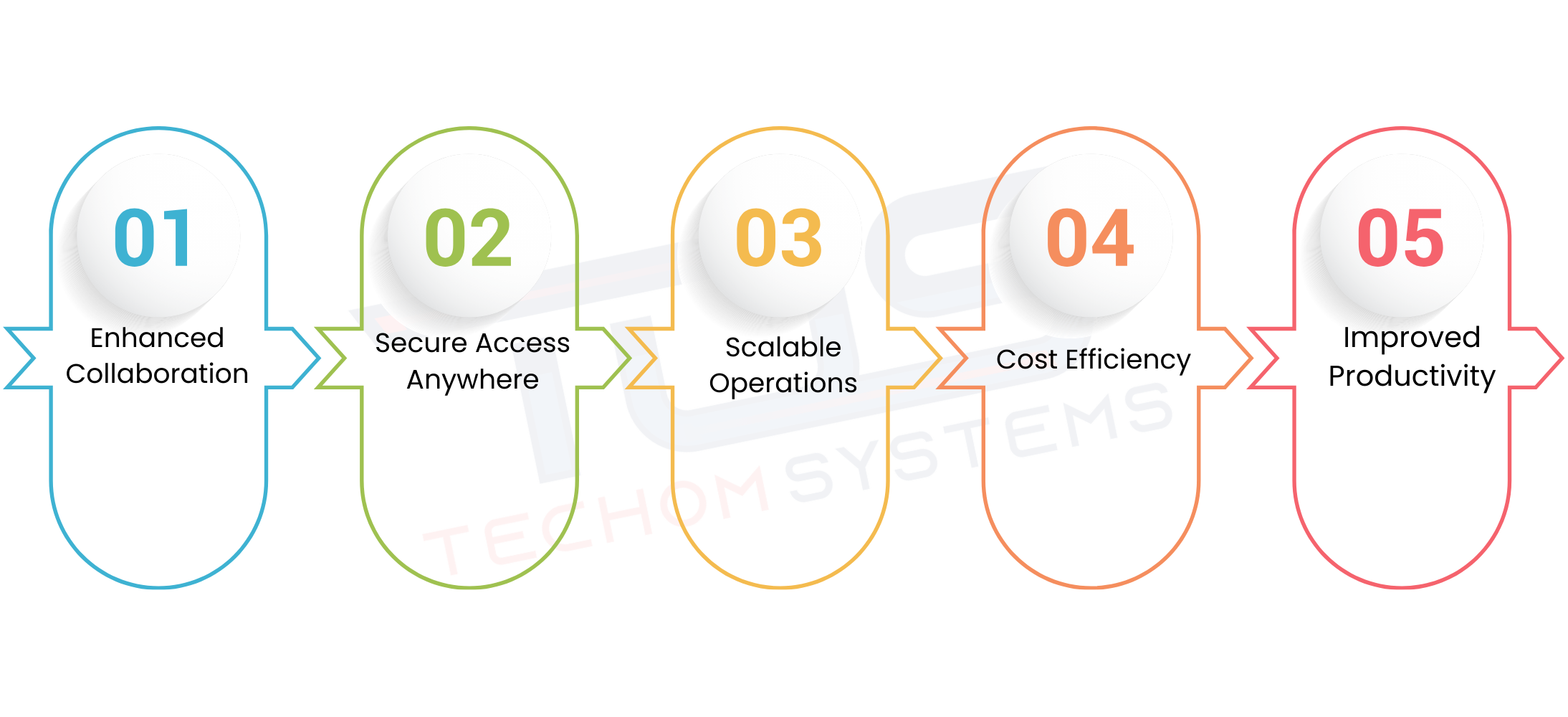
reasons for Office 365 migration helps organizations plan effectively and get the most value from the move. Below are the key benefits of Office 365 migration:
- Enhanced Collaboration: Teams can work together in real time on documents and projects, even when working remotely, improving efficiency and reducing errors.
- Secure Access Anywhere: Employees can safely access files and applications from any location, ensuring business continuity and flexibility.
- Scalable Operations: Office 365 grows with your business, allowing easy addition of users, storage and applications as needed.
- Cost Efficiency: Moving to Office 365 reduces the need for on premises infrastructure and maintenance, saving both time and money.
- Improved Productivity: With integrated tools and cloud based services, employees can complete tasks faster and focus on higher value work.
By understanding these advantages, businesses can approach a
SharePoint to Office 365 migration strategically and ensure maximum benefits for their teams.
Step By Step Guide For SharePoint To Office 365 Migration
A SharePoint to Office 365 migration can feel overwhelming, especially when critical business data is at stake. Following a structured approach with guidance from
Office 365 Consulting Services helps reduce errors, prevent data loss and keeps your team productive during the transition. Below are the key benefits your business can gain from a well planned migration:
Step 1: Assess Your Current Environment
Begin by thoroughly reviewing your existing SharePoint environment. Identify all sites, libraries, lists and workflows that need to be migrated. Consider how each site is used by your team and whether any customizations or integrations exist. This assessment helps prioritize what to migrate first and uncovers potential challenges early, such as large files, permission issues or outdated workflows.
Step 2: Clean Up and Organize
Before migrating, it is crucial to clean your SharePoint environment. Remove outdated documents, archive irrelevant files and eliminate duplicates. Standardize metadata and folder structures to make your Office 365 environment organized and easier to navigate post migration. This step ensures only relevant and accurate data moves forward, reducing clutter and minimizing migration time.
Step 3: Perform a Pilot Migration
A pilot migration involves moving a small subset of data to Office 365 first. This allows you to test file integrity, check permissions and validate workflows. Pilot migrations help identify unexpected errors or permission mismatches, allowing you to address them before the full scale migration. Running a pilot ensures confidence in the migration process and minimizes business disruptions.
Step 4: Execute Full Migration
Once the pilot is successful, move the remaining data to Office 365. During this stage, continuously validate that all files and workflows are transferred correctly. Monitor performance, check for errors and confirm that all team members can access the required data. Keeping track of progress and having a rollback plan in case of any issues is essential to a secure migration.
Step 5: Post Migration Validation and Optimization
After migration, verify that all files, permissions and workflows are functioning as intended. Provide training to your team on new Office 365 features and optimize the environment for productivity. Regularly review usage and make adjustments to improve collaboration and efficiency. This ensures your SharePoint to Office 365 migration delivers the intended business benefits.
Facing delays, data loss risks or migration errors?
Book a free consultation with TECHOM Systems today and get expert support to make your SharePoint to Office 365 migration smooth and worry free.
Common Challenges and How To Overcome Them
Migrating from SharePoint to Office 365 can bring many benefits, but it is not without challenges. Businesses often encounter issues that can slow down migration or cause data inconsistencies if not handled properly. Understanding these challenges and preparing for them early ensures a smoother, safer migration process. Below are some common challenges organizations face during a SharePoint to Office 365 migration and ways to overcome them:
- Permission Errors: Users may face access problems after migration due to incorrect permission mapping. Performing a detailed permission audit before migration and testing access in a pilot migration can prevent these errors.
- Broken Links and Missing Files: Links to documents or resources in SharePoint may break during migration. Using automated tools to track and update links, along with thorough testing, helps maintain file integrity.
- Version Conflicts: Multiple versions of documents can create conflicts during migration. Identifying version history and consolidating important versions ensures the correct files are migrated.
- Unsupported Customizations: Custom workflows, scripts or third party integrations may not work in Office 365. Reviewing customizations beforehand and planning alternatives or updates helps maintain functionality.
- Data Loss Risks: Migrating large volumes of data without proper backup increases the risk of losing critical files. Creating backups and performing pilot migrations ensures data safety.
TECHOM Systems leverages extensive experience in
Office 365 data migration to provide practical solutions for these challenges. By addressing potential issues proactively organizations can complete a SharePoint to Office 365 migration securely, efficiently and without disruption to daily operations.
Best Practices To Prevent Data Loss During Migration
Migrating from SharePoint to Office 365 is an important step for businesses, but it comes with risks. Losing important files during migration can disrupt projects, affect deadlines and reduce productivity. Following proven best practices helps organizations protect their data and ensures a smooth transition. Below are detailed steps to avoid data loss during a SharePoint to Office 365 migration:
1. Back Up Your SharePoint Environment
Before starting the migration, create a complete backup of all SharePoint sites, libraries, lists and workflows. Having a secure backup acts as a safety net in case unexpected issues occur. It allows you to restore any lost or corrupted files and reduces the risk of business disruption.
2. Test with a Pilot Migration
Performing a
pilot migration with a small subset of data helps identify potential problems early. Check for file integrity, permissions and workflow functionality during the test run. Pilot migrations allow your team to spot issues like broken links or version conflicts before moving all data, making the full migration safer.
3. Validate Results at Every Stage
Monitoring and validating data throughout migration is essential. After moving files, ensure all content is accessible, permissions are correct and workflows are functioning as intended. Regular validation prevents surprises and ensures that your SharePoint to Office 365 migration is accurate and reliable.
4. Standardize and Clean Data
Organize your SharePoint environment before migration. Remove outdated documents, archive irrelevant files, eliminate duplicates and standardize metadata. Clean data reduces errors, speeds up migration and ensures that your Office 365 environment is organized and easy to navigate.
5. Leverage Expert Guidance
Following these steps ensures that your SharePoint to Office 365 migration is completed securely, efficiently and without losing important data. By preparing carefully and using expert guidance, businesses can focus on continuing their work without disruption.
Benefits Of Successful Migration
Completing a SharePoint to Office 365 migration successfully offers businesses long term advantages. A smooth migration improves team collaboration, secures files in the cloud and reduces IT overhead. Understanding these benefits helps organizations see the value of a well planned transition and highlights why working with experienced consultants like TECHOM Systems is important. Below is a table summarizing the key benefits of Office 365 migration:
| Benefit |
How It Helps Your Business |
| Enhanced Collaboration |
Teams can work together in real time on documents and projects, even when working remotely, improving efficiency and reducing errors. |
| Secure Cloud Storage |
Files are safely stored in the cloud, reducing the risk of data loss and enabling access from anywhere. |
| Reduced IT Overhead |
Moving to Office 365 reduces the need for on premises infrastructure and maintenance, saving time and costs. |
| Improved Productivity |
Integrated Office 365 tools allow employees to complete tasks faster and focus on higher value work. |
| Better Access Control |
Admins can manage permissions and monitor access efficiently, ensuring sensitive data stays secure. |
| Scalability |
Office 365 grows with your business, allowing easy addition of users, storage and applications as needed. |
By understanding these advantages, businesses can approach a SharePoint to Office 365 migration strategically and ensure maximum benefits from the move.
Choose TECHOM Systems For Office 365 Migration Services
Migrating from SharePoint to Office 365 is an important step for any organization and having the right partner can make the process smooth and stress free. TECHOM Systems provides expert guidance, tailored solutions and secure migration services that ensure your data and operations remain safe. Below are the key reasons to choose TECHOM Systems for your
Office 365 migration services:
1. Expertise You Can Trust
Our team of certified professionals ensures a smooth SharePoint to Office 365 migration backed by deep experience. Whether your organization is a startup in Brisbane or an enterprise in Melbourne, TECHOM Systems makes the migration journey seamless with full support and careful planning.
2. Comprehensive Migration Strategy
We provide a complete Microsoft 365 migration strategy focusing on compatibility, integration and post migration support. Every solution, whether for Office 365 migration in Melbourne or nationwide, is designed to deliver clarity, confidence and long term value across industries.
3. Data Security and Compliance
TECHOM Systems ensures that all migrations maintain compliance with Australian regulatory standards. Our cloud migration services protect sensitive information throughout the SharePoint to Office 365 migration and email migration processes, keeping your data safe and secure.
4. Migration Planning
Each migration is tailored to your organization’s unique systems and requirements. Careful planning ensures that your Office 365 migration is seamless, efficient and designed for long term success.
5. Account Setup and Data Migration
Our skilled consultants set up Office 365 accounts and oversee the complete migration of data from on premises or hosted systems to Office 365. This approach ensures secure, accurate, and complete data transfer, establishing a modern digital workplace ready for collaboration and productivity.
Ensure your SharePoint to Office 365 migration is secure and efficient. Book a free consultation with
TECHOM Systems today to get started.
Frequently Asked Questions
#1: What Is SharePoint To Office 365 Migration?
Ans: SharePoint to Office 365 migration is the process of moving files, sites, and workflows from SharePoint to Microsoft 365, ensuring secure access, collaboration, and data continuity without disrupting business operations.
#2: How Long Does A SharePoint To Office 365 Migration Take?
Ans: The duration depends on data size, complexity, and customizations. Small projects may take days, while larger migrations require weeks. TECHOM Systems plan each migration to ensure efficiency and minimal downtime.
#3: How Can I Avoid Data Loss During Migration?
Ans: Back up all files, perform pilot migrations, validate data at each stage, and work with experts like TECHOM Systems to secure your SharePoint to Office 365 migration.
#4: What Are The Benefits Of Office 365 Migration?
Ans: Office 365 migration improves collaboration, secures data in the cloud, reduces IT overhead, and enables flexible, scalable, and productive workflows across the organization.
Conclusion
In this blog, we explored how a
SharePoint to Office 365 migration can be completed smoothly and securely. We discussed common challenges such as data loss, broken links and version conflicts and shared a step by step approach to overcome them. The importance of careful planning, pilot testing and leveraging expert guidance from TECHOM Systems was highlighted throughout.
By following best practices organizations can enjoy the benefits of Office 365, including enhanced collaboration, secure cloud storage, reduced IT overhead and improved productivity. A well executed migration ensures operations continue without disruption while safeguarding critical data.
Are You Ready To Make Your SharePoint To Office 365 Migration Seamless And Secure?
Contact TECHOM Systems today and get expert guidance for a smooth, worry free migration experience.