Summary: The Office 365 suite offers a comprehensive set of productivity tools tailored for businesses, including Word, Excel, Exchange Online and Microsoft Teams. With multiple Office 365 business plans available, companies can choose scalable solutions that support remote work, collaboration and secure data management. As a cloud-based subscription service, Office 365 enables access from any device, with automatic syncing and optional desktop installations.
However, depend on just on Microsoft’s built-in protections can be risky. Their responsibility is limited to geo-redundancy and short-term retention policies. To avoid data loss, businesses should consider third-party backup solutions to safeguard their Office 365 data.
Choosing the right plan can be challenging. This blog helps you understand how to compare Office 365 plans, especially if you are exploring Office 365 business plans in Australia or globally. If you are directly looking for expert guidance on which Office 365 plan to choose, for a free consultation.
Back to Insights
Office 365 Plans for Business and Enterprise - Find the Perfect Fit
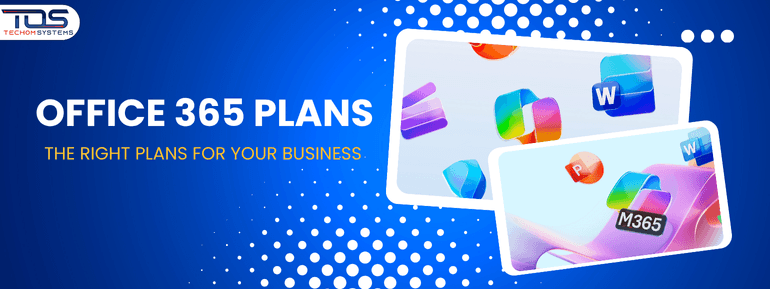

What Office 365Business Plans Are Available?
Microsoft offers a range of Office 365 plans to suit different types of organizations, from small businesses to large enterprises. These plans are subscription-based and scale in features, giving you access to more apps, services and security tools as you move up the tiers. To make things easier, Office 365 plans are grouped into three main categories-- Home Plans – Designed for individuals and families, offering basic productivity tools for personal use.
- Business Plans – Tailored for small and medium-sized businesses (up to 300 users), with options like Business Basic, Business Standard, Business Premium and Apps for Business. These plans focus on productivity, collaboration and cloud services.
- Enterprise Plans – Built for larger organizations with no user limit, offering advanced features for security, compliance, identity management and IT administration. Enterprise plans include options like Microsoft 365 E3, E5 and F3.
Understanding these benefits will help you choose the right Office 365 business plans offer to support your business goals. But before that, let's have a look at video showing Microsoft Office 365 Migration.
Next, we will focus on the Business plans, which are ideal for you, looking to boost productivity and streamline your business operations.Microsoft 365 Plans for Business – Australia
All prices are per user/month, excluding GST.
Plan Name |
Price (AUD) |
Key Features |
Copilot Add-On |
| Business Basic | AU$9.00 (Save more with TECHOM Systems) | - Web & mobile versions of Word, Excel, PowerPoint, Outlook - Custom business email (Exchange) - Microsoft Teams for chat, calls and video - 1 TB OneDrive cloud storage - SharePoint for collaboration - Microsoft Bookings, Planner, Forms - AI chat experience with writing assistance and data analysis - Spam & malware filtering - Anytime phone and web support - Identity and access management for up to 300 users | AU$44.90/month |
| Business Standard | AU$18.70 (Save more with TECHOM Systems) | - Everything in Basic - Desktop versions of Word, Excel, PowerPoint, Outlook - Microsoft Loop for collaborative workspaces - Clipchamp for video editing - Webinars with attendee registration and reporting - Microsoft Editor for writing enhancement | AU$44.90/month |
| Business Premium | AU$32.90 (Get a special discount with TECHOM Systems) | - Everything in Standard - Advanced cyberthreat protection with Microsoft Defender - Device and app management via Intune - Azure AD Premium P1 for identity management - Enhanced security and compliance tools | AU$44.90/month |
Popular Apps Across Plans
- Productivity: Word, Excel, PowerPoint, Outlook, OneNote
- Collaboration: Microsoft Teams, SharePoint, OneDrive, Exchange
- Business Tools: Bookings, Planner, Forms, Loop, Clipchamp
- Security & Management (Premium only): Defender, Intune, Azure AD
- AI Features: Microsoft 365 Copilot (optional add-on)
Microsoft 365 Enterprise Plans – Australia
All prices are per user/month, excluding GST.
Plan Name |
Price (AUD) |
Key Features |
Copilot Add-On |
| Microsoft 365 F3 | AU$12.00 (Get a special discount with TECHOM Systems) | - Web and mobile versions of Microsoft 365 apps - Microsoft Teams - 1 TB OneDrive - Basic security and compliance - Collaboration tools - AI chat experience | Available |
| Microsoft 365 E3 | AU$53.30 (Get a special discount with TECHOM Systems) | - Desktop, web and mobile apps - Windows 11 Enterprise - Advanced identity and access management - Information protection - Device and app management - Microsoft Teams - SharePoint, Exchange, OneDrive - Viva Insights, Loop, Clipchamp | Available |
| Microsoft 365 E5 | AU$81.90 (Get a special discount with TECHOM Systems) | - Everything in E3 - Advanced security and compliance (Microsoft Defender, Purview) - Power BI Pro - Microsoft Teams Phone - Enhanced analytics and voice capabilities - Microsoft Copilot integration | Available |
Apps & Services Included Across Enterprise Plans
- Productivity: Word, Excel, PowerPoint, Outlook, OneNote, Access (PC only)
- Collaboration: Microsoft Teams, SharePoint, OneDrive, Exchange, Viva Engage
- Security & Compliance: Microsoft Defender, Intune, Azure AD, Microsoft Purview
- Automation & Intelligence: Power BI, Power Apps, Power Automate, Microsoft Loop
- AI Features: Microsoft 365 Copilot (AU$44.90/user/month add-on)
Do You Know?
Here are some surprising facts about Office 365 and Microsoft 365 licensing that could help you make smarter decisions for your business:- Microsoft 365 Business plans are limited to 300 users? If your organization is growing or already larger, you will need to upgrade to Microsoft 365 Enterprise plans for unlimited scalability. You can also mix Business and Enterprise licenses to balance cost and functionality.
-
Microsoft’s built-in data protection covers only geo-redundancy and short-term retention, which means accidental deletions or ransomware attacks could lead to permanent data loss. Many businesses now turn to third-party backup solutions, and TECHOM Systems can help integrate these seamlessly into your Microsoft 365 environment.
-
Enterprise plans include advanced security features like Microsoft Defender, Azure AD Premium and Litigation Hold? These tools are essential for businesses in regulated industries such as healthcare, finance and legal services.
-
Only Enterprise plans support hybrid Office 365 deployments? This allows you to keep sensitive data on-premises while still benefiting from cloud-based collaboration. If you are unsure how to set this up, TECHOM Systems specializes in secure hybrid deployments tailored to your compliance needs.
-
Microsoft 365 Copilot, the AI-powered productivity assistant, is available as an add-on across most plans? It enhances writing, data analysis and task automation, making your team more efficient than ever.
Office 365 Business vs. Enterprise
If you are exploring Microsoft Office 365 plans, you are probably wondering... Should I go with Business or Enterprise? The answer depends on a few key things, your team size, your security needs and how you want to deploy Office 365.1. Team Size - How Many People Are You Supporting?
Office 365 Business is perfect for companies with 300 users or fewer. It gives you all the core productivity tools without overcomplicating things. But if your team is larger, or you want a single plan that covers everyone, Office 365 Enterprise is the way to go. And here is a smart tip: Microsoft lets you mix and match licenses. So if some departments only need basic features, you can assign them Business plans and save money, while giving power users access to Enterprise tools.
TECHOM Systems can help you design a cost-effective licensing strategy that fits your team perfectly, whether you are scaling up or optimizing what you already have. Call us - 1800 867 669
2. Security & Compliance - How Protected Is Your Data?
Security is more than just antivirus, it’s about protecting your business from evolving threats. Both Business and Enterprise plans include Advanced Threat Protection (ATP) to keep your inbox safe from phishing and malware. But Enterprise plans go further with-
- Advanced Threat Analytics to detect sophisticated attacks
- Device management tools to control access
- Litigation Hold for long-term data retention and compliance
To learn more about how migration works, check out our detailed post: A Complete Guide For Businesses?3. Deployment Type - Cloud or Hybrid? If your business is fully cloud-based, either plan works great. But if you want a hybrid setup, where some data stays on-premises, you will need an Enterprise license.
 This is especially important for industries like healthcare, finance, or government, where data residency and compliance are non-negotiable.
TECHOM Systems makes migration simple, secure and seamless. Want to get Office 365 for your business?
This is especially important for industries like healthcare, finance, or government, where data residency and compliance are non-negotiable.
TECHOM Systems makes migration simple, secure and seamless. Want to get Office 365 for your business?
Key Decision Factors to get the Right Office 365 Plan
Picking the right Office 365 plans for business come down to understanding what works best for your team. Before making a choice, consider these key points:
Beyond the basics: Microsoft 365 business plans include more than just Office apps and online collaboration. They also offer tools for knowledge management, content creation, insights, project and task management, workflow automation and app building, helping your team work smarter and faster.
Here is a breakdown of key features across the plans-
Business Plans - Security and Management Options
If you are looking at security and management features, Microsoft 365 Business Premium really takes the lead. The other plans do cover the basics, but Business Premium goes way beyond, giving you more advanced tools to keep your business secure and running smoothly.
Here is a closer look at what sets it apart-

Real Talk - World Challenge - Finding a Plan That Fits
Every business is different and that is exactly why choosing the right Microsoft 365 plan can be more complicated than it looks.- How your team works
- What tools you actually use
- What kind of support and protection you need
You May Also Like: 5 Microsoft 365 License Mistakes To Avoid In Aussie Businesses
What Should I Do Next?
So, you have explored the ins and outs of Office 365 plans for Business and Enterprise and maybe you are starting to see how the right licensing strategy can do more than just save money, it can unlock better productivity, stronger security and smoother IT operations. But what is the next move?Step 1: Take a Look at Your Current Setup
Are you using the right mix of Microsoft 365 licenses? Are your teams getting the features they actually need, or are you paying for tools that go unused? A quick review could reveal opportunities to optimize costs and improve performance.Step 2: Talk to TECHOM Systems
Choosing between Microsoft 365 Business Premium, E3, or E5 can be tricky. That’s where we come in. At TECHOM Systems, we help businesses like yours make smart licensing decisions, deploy Office 365 efficiently and stay compliant with industry standards.Step 3: Try a Pilot Rollout
Not ready to commit across the board? No problem. Start with a pilot deployment, test features like Microsoft Defender, Intune, or Copilot with a small team. You will quickly see the impact on productivity and security.Step 4: Let’s Make It Happen
If you are ready to simplify your Microsoft 365 licensing, improve data protection, or explore hybrid deployment options, reach out to us at hello@techomsystems.com.au. We will walk you through everything, from planning to rollout, with zero pressure and full support.Frequently Asked Questions About Office 365 Plans
#1. Why Can’t I Just Pick Any Microsoft Office 365 Plan? Are not They All the Same?
Not quite. Microsoft 365 offers different plans for different business needs. The Business plans are tailored for small and medium-sized businesses, with features like collaboration tools, cloud storage and built-in security. If your team needs remote access, device management, or compliance support, choosing the right plan matters.#2. What is the Cost of Microsoft 365 for Business and Is It Worth It?
Pricing varies depending on what your business actually needs:- Business Basic: Ideal for teams working mostly online (web apps only)
- Business Standard: Adds full desktop apps for offline work
- Business Premium: Includes advanced security, device management and compliance tools
- Apps for Business: Just the desktop apps, no email or Teams
- Business Basic: Web-based apps + cloud services like Teams and OneDrive
- Business Standard: Everything in Basic plus full desktop apps you can install and use offline
- Business Basic – For online collaboration and email
- Business Standard – For teams needing full desktop apps
- Business Premium – For businesses that need security, device control and compliance
- Apps for Business – For users who only need Office apps, not communication tools
Final Thought
Let’s face it.. choosing the right Office 365 plan is not just about features or pricing. It s about solving real business challenges:- Are your teams struggling with outdated tools or limited access?
- Is your data security keeping you up at night?
- Do you need a solution that scales as your business grows?
Ready to Upgrade or Migrate Without the Headaches?
Do not let tech complexity slow you down. Let experts guide your next move.- Explore Office 365 Migration Services – Make your transition smooth, secure and stress-free.
Book Your Free Consultation to Find the Best Office 365 Plans for Business and Enterprise. Save with Exclusive Discounts.
Your productivity upgrade starts now. Let’s make it happen.Keep Reading
Explore our latest technological insights tailored for Australian businesses.