What is Endpoint Detection and Response?
One type of cybersecurity solution is endpoint detection and response. It lets constant monitoring happen right away and at the same time. It also lets endpoint data be collected and analysed using rules-based responses. You can use this to automate processes that help security teams find threats and fight back against them. You might want an endpoint detection and response system for the following main reasons:- Analyse the information to find patterns in security threats.
- Keep an eye on and collect information that could point to a current or future threat
- Before telling security about a threat, remove or stop it.
- Use forensic or analysis tools to look for suspicious activities and find threats.
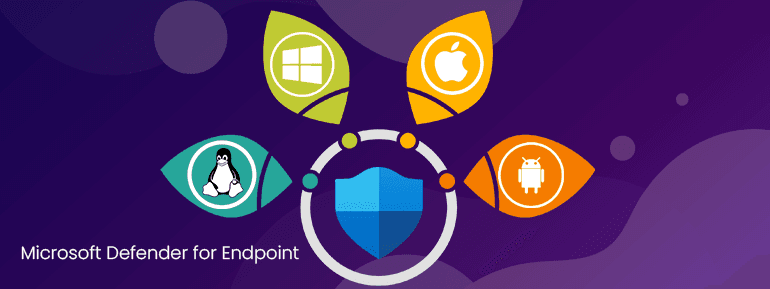
Microsoft Defender for Endpoint Detection and Response
Microsoft Defender is a security product included with the Windows operating system and is designed to protect against malware, viruses, and other types of threats. It includes a range of security features, such as real-time protection, firewall, and network protection, to help prevent and detect potential threats on a device. Microsoft Defender for Endpoint Advanced Threat Protection (ATP) is a more comprehensive security solution that builds on the capabilities of Microsoft Defender and includes additional features for enterprise users, such as endpoint detection and response (EDR). Microsoft Defender ATP is designed to help organizations detect, investigate, and respond to advanced threats, such as zero-day vulnerabilities and targeted attacks. Some of the key features of Microsoft Defender for Endpoint ATP include:- Real-time monitoring and detection of potential threats on endpoint devices
- Advanced threat analytics and machine learning to help identify and prioritize potential threats
- Integration with Microsoft's cloud-based security intelligence and threat analytics platform, which provides access to a vast repository of threat intelligence data
- The ability to perform investigations and take remediation actions, such as isolating a compromised device or rolling back changes made by a malicious actor
- Integration with other security tools; firewalls, intrusion prevention systems (IPS), and security information and event management (SIEM) systems.
Endpoint behavioural Sensors
Endpoint behavioural sensors are typically part of an endpoint detection and response (EDR) system. They are used to detect potential threats or security breaches by analysing the activity on the device in real-time. Microsoft Defender for Endpoint behavioural sensors use a variety of techniques to monitor, including:- Analysing system and application logs
- Monitoring network activity in Microsoft Defender for Endpoint
- Analysing system and application configuration changes
- Monitoring user activity, such as keyboard and mouse activity, file access, and application usage
Threat Intelligence
Threat intelligence includes data about the tactics, techniques, and procedures (TTPs) used by attackers. Furthermore, It contains information about specific threats, such as malware campaigns, phishing attacks, and vulnerabilities in software and hardware.Threat intelligence can collect with:
- Network logs and traffic analysis
- Security incident reports
- Intelligence feeds from commercial vendors or government agencies
- Open-source intelligence, such as information from social media, blogs, and other online sources
- Identifying potential threats and vulnerabilities
- Prioritising threats based on their likelihood and impact
- Developing strategies for defending against or mitigating threats
- Providing context for security events and incidents, enabling a more effective response
- Improving the accuracy and effectiveness of security tools, such as firewalls, intrusion prevention systems (IPS), and security information and event management (SIEM) systems.
Cloud Security Analysis
Microsoft Defender for Endpoint adds more security to business cloud products like Microsoft Office 365. The data you collect and look at helps keep your cloud safe:- Vulnerability assessments: Identifying potential vulnerabilities in the cloud environment, such as misconfigured systems or outdated software
- Penetration testing: Simulating an attack on the cloud environment to identify potential vulnerabilities
- Security audits: Evaluating the security controls in place to ensure that they are effective and compliant with relevant standards and regulations
- Risk assessments: Identifying and evaluating the potential risks to the cloud environment, including technical, operational, and business risks.
Which Threats Does Microsoft Defender for Endpoint Protect?
Microsoft Defender for Endpoint facilitates organisations protect against a wide range of cyber threats, such as:- Malware
- Phishing attacks
- Ransomware
- Zero-day vulnerabilities
When is it appropriate to formulate Microsoft Defender for Endpoint in an Organisational Environment?
Here are some key considerations to keep in mind when deciding whether to implement Microsoft Defender for Endpoint.- If your organisation has a large network with many devices, Microsoft Defender for Endpoint helps protect these devices from threats.
- If your organisation handles sensitive data, like financial or personal information, it is important to have strong security measures. It protects this data from unauthorised access or breaches.
- It's important to evaluate your organisation's cybersecurity risks and consider Microsoft Defender for Endpoint would help reduce these risks.
- Even if your company already has strong security measures, like firewalls and antivirus software, you may still want to get Microsoft Defender for Endpoint as an extra layer of protection.
- Depending on your business type, you may need to take certain security measures to meet regulatory requirements. You can meet these needs with the help of Microsoft Defender for Endpoint.
Using it with other Microsoft Solutions
Skype for Business and Intune work together perfectly. When used with other Microsoft solutions, Microsoft Defender for Endpoint has Some benefits to consider about are:- File blocking
- Additional data for analysis
- File recovery via OneDrive
- All-in-one technical support
- Increased performance levels