Back to Insights
Microsoft Teams Premium: Save Costs and Increase Productivity
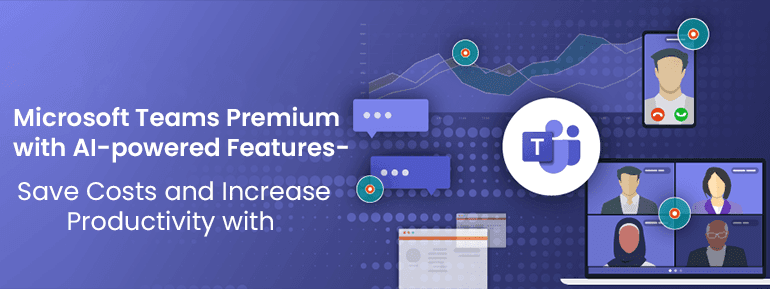
The merits of upgrading to Microsoft Teams Premium, a subscription service with access to added features and capabilities. This comes beyond the basic version of Microsoft Teams. We'll go through how the artificial intelligence (AI) in Microsoft Teams Premium may help you get more done for less.
As the economy slows down and work styles change, businesses are looking for ways to get the most out of their IT investments and re-energise their employees so they can get business results. Businesses need ways to adapt to change, increase productivity, and cut costs more than ever. Modern equipment powered by AI lives up to its promise to make people, teams, and organisations more productive and to fundamentally change how we work.
This prediction is quickly coming true. Microsoft wants to improve all of its consumer and business products, including Microsoft Teams, by adding new features made possible by artificial intelligence.
Microsoft Teams Premium is now available as part of the promise to keep improving. This advanced version of Microsoft Teams offers the same comprehensive, collaborative experience as the standard platform. Still, it also adds cutting-edge technologies, such as using Large Language Models powered by OpenAI's GPT-3.5. Whether it's a one-on-one conversation, a large conference, a virtual appointment, or a webinar, these technologies make virtual meetings smarter, more personal, and safer.

Personalised: Easy to make meetings with your needs and the rules of your organisation.
We've noticed from many businesses that they want to personalise their conferences to make them more enjoyable for their customers or to make the workplace more open and welcoming. It's important to act like the company's logo and culture, whether meeting with customers in person or just talking to a co-worker. But since so many interactions and conferences are moving to virtual reports, these key parts aren't in the lead. Microsoft Teams Premium gives you that extra bit of professionalism and customisation. Branded meetings let everyone at the meeting see your company's logo and colours, and your brand's colours can be woven into the meeting itself. During the meeting, Teams Premium users can allow logo-approved business backgrounds and work-together mode scenes so that what makes your company and your people unique will shine through in every part of the meeting. You can get these business backgrounds and scenes where people work together. Branded conferences will be available by mid-February 2023.Meeting templates
Each meeting is unique. Delving into meeting choices takes time out of your day. IT administrators can now save time and eliminate guesswork by creating meeting templates in Teams Premium for common scenarios such as client calls, brainstorming sessions, and support desk calls. Executives might use templates to guarantee that their meetings adhere to the company's best practices and guidelines. This might be used for other things; you probably use the default settings when you book an online meeting.Custom user policy packages
Teams often give different user groups or departments different rules, just like meetings don't come in a "one size fits all" format. For example, your company's legal department might be less strict about meeting and message rules for external users than for third-party contractors from ad agencies. Setting different rules for meetings, communications, and apps might be hard. With the help of custom user policy packages, IT can save time by putting together a set of rules for users with similar jobs in the business. It saves you time and makes managing rules for user groups across your whole organisation easier.Protected: Help in keeping confidential meetings confidential
As meetings have become more digital and hybrid, companies have had to deal with new data protection challenges. Sensitive and exclusive business conversations like board conferences, monetary discussions, or undisclosed product opinions now occur through Teams conferences. Even though setting up a Teams meeting is quick and easy, it's important to add a layer of security to sensitive meetings to ensure the content and information stay safe. Teams Premium now has an "advanced meeting safety" feature, which makes it easy to improve security for confidential business meetings without affecting the meeting experience. New meeting features like watermarking to stop leaks and limiting who can record make it easier to keep the conversation private. Meeting planners can use a unique watermark on attendees' screens, and video feeds to try to gift and show sensitive facts. IT-savvy users can bring the end-to-end encryption (E2EE) option to the meeting for those rare, very sensitive meetings that need to turn off some basic meeting features for a more advanced encryption option. As a reminder, records exchanged throughout Teams calls or meetings are constantly secured using enterprise-standard encryption in transit and at relaxation. We know that conference topics can change. This sometimes means talking about sensitive business information that needs an extra layer of security. For Microsoft 365 E5 clients with Teams Premium, Microsoft Purview Information Protection sensitivity labels can now be used for Teams conferences. Organisers of meetings can use sensitivity labels to automatically choose the best and most important meeting options. That is based on how sensitive the meeting content is. Also, decide which assembly options must be enforced if the label is used in a meeting. Compliance admins can use the Microsoft Purview compliance portal to set up this integration with Teams conferences.Virtual Appointments: Delight clients, make scheduling easier, and track results.
Whether you’re supplying mortgage recommendations, accomplishing a fitness go-to, or selling to clients, connecting sincerely with customers has become necessary. Now, businesses see the Internet as a way to keep in touch with customers and reach them easily anywhere. With Microsoft Teams Premium, connecting with clients and handling the whole customer experience with Virtual Appointments in Teams is easy. You can impress customers with a seamless sign-up experience that lets them sign up for digital, branded foyer rooms through text messages or emails on any device browser without downloading an app. This saves you money and time on extra add-on or point solutions. Your scheduling directors can set up and manage both scheduled and on-call virtual appointments in one place, using features like appointment queuing. Your business can also figure out the business price of virtual appointments. This help in the push for better customer outcomes with branch-level or enterprise-level analytics on customer metrics like wait times and no-show prices. With the new Virtual Appointments, it's now easier to please clients. It makes it easier to schedule appointments and measure how well things are going.Webinars: Host events with hassle-free enrollment and personalised experiences
Webinars provide an all-in-one solution for Microsoft Teams Premium. It saves time and costs by eliminating the need for add-on solutions or different platforms. Presenters can enter the virtual green room before the start of the webinar. This help prepares without upsetting attendees; attendees and speakers can interact via chat and Q&A. The registration process is more streamlined. This includes a registration waitlist, manual approval, and the flexibility to customise the registration start and end times for better event management. External media feeds can be integrated into the presentation using RTMP-in to create a more exciting and engaging webinar. Automated reminder emails are sent to all confirmed registrants ahead of the event. This contains features custom-branded headers, webinar details, and a link to join the event. These features are currently available, except for automated email reminders, which will be available in March 2023.Microsoft eCDN: Enhance live event adventures
Microsoft Enterprise Content Distribution Network (eCDN) is now available in Teams Premium. This enhances live event experiences across an enterprise. Microsoft eCDN reduces the corporate network's strain, preventing connection failure and poor video quality. It requires no extra installation on user endpoints or devices. Organizations can use Microsoft eCDN to live stream global meetings in a safe and easy way. It makes effortless all-hands meetings, and town halls distribute company-wide training through Teams Live Events.Get started with Microsoft Teams Premium today
Microsoft has every reason to offer certain features in Teams Premium. To keep meeting information safe, some businesses need features like the ability to use meeting templates, sensitivity labels, and watermark meetings. Some do not. Premium licences pay for the technical work needed to make and keep the necessary functionality up to date. I have nothing against this plan. In the same way, I don't mind that Microsoft wants to charge extra for new features. But changing the game's rules by moving features from the standard licence to the premium licence seems unfair. As Microsoft Teams Experts, we help organisations expand their cloud-first business operations to better serve their customers. We are a Microsoft partner company based in Australia, and for many years we have been implementing Microsoft solutions for various clients. Thus, Call our skilled consultant right now to upgrade your basic Microsoft Teams to a Microsoft Teams Premium subscription to get all of the greatest features described above.Keep Reading
Explore our latest technological insights tailored for Australian businesses.