In an era defined by
Digital Transformation, ensuring the safety of your online accounts has become a paramount concern. Recognizing this need, Microsoft is taking a significant stride forward to bolster security for its
Microsoft 365 business users.
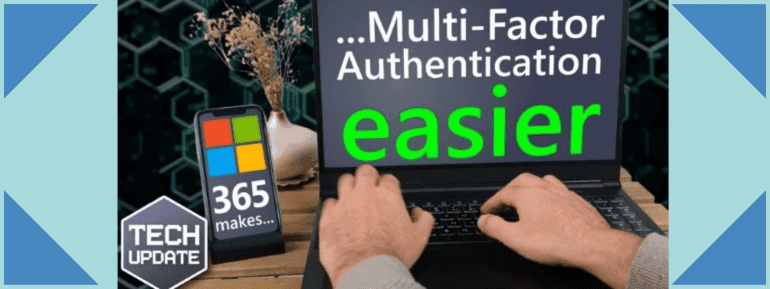
Multi-Factor Authentication (MFA) is set to be seamlessly integrated within the Outlook app, marking a new era of cyber protection.
Why Multi-Factor Authentication is Crucial
Multi-Factor Authentication (MFA) stands as a hard barrier against cyber threats. Operating on a simple yet highly effective principle, MFA generates a unique, one-time passcode as an added layer of security during logins. This passcode is securely transmitted to an authenticator app on your smartphone, which requires a one-time setup.
Also, MFA offers various delivery methods, such as SMS text messages, phone calls, and specialised USB keys. The process can be expedited further by utilising biometric features like fingerprints or facial recognition. The minor time investment in this process bleaches compared to the outstanding protection it affords.
Microsoft's Innovative Approach to MFA
Microsoft, renowned for its user-centric approach, understands the value of every second in today's fast-paced world. To elevate user experience, Microsoft is simplifying Multi-Factor Authentication (MFA) for its Microsoft 365 business users through the integration of "Authenticator Lite" within the Outlook app. This innovation eliminates the need for a separate authenticator app or login codes.
However, the scope of this advancement remains undisclosed for personal PCs. Rest assured, we will keep you informed should Microsoft expand this integration to various hardware and operating systems.
Authorising Businesses with Multi-Factor Authentication
In today's world, where cyber dangers keep changing, businesses need to put security first. If your company hasn't started using MFA yet, it's a good idea to start now. MFA adds an extra shield that's really helpful in stopping many different kinds of online risks.
Adopting the Future of Cybersecurity
Microsoft's proactive integration of Multi-Factor Authentication into the Outlook app for 365 business users is a huge stride in defending digital assets. This seamless enhancement perfectly balances security and user convenience, strengthening defences against cyber threats. While the extension of this feature to personal PCs remains a secret, the message is clear: in cybersecurity, prevention is essential.
Microsoft 365 Solutions with TECHOM Systems
As a leading provider of Microsoft 365 solutions, TECHOM Systems empowers businesses to harness the full potential of this innovation. Our comprehensive suite of apps ensures that your organisation remains efficient, collaborative, and secure.
For further guidance on Multi-Factor Authentication or optimising your Microsoft 365 experience, don't hesitate to reach out. You can contact us at 1800 867 669 or drop us an email at hello@techomsystems.com.au.