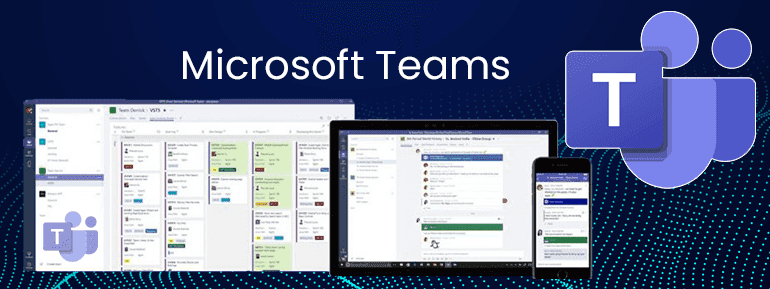
Microsoft seems more eager than ever to help IT departments combat challenged what IT face. With additional apps, features, and greater integration, businesses (and people) no longer need to go beyond Office 365. It's easy to see why!
For improved communication and teamwork, it is a born in the cloud collaboration platform. It's closely integrated with Office 365 (no extra logins). Still, it's also an open and expandable platform that can connect to other systems and services.
It's included in Office 365 Business Essentials, Business Premium, and Enterprise E1, E3, and E5 subscriptions. Thus, it's available to almost everyone.
Teams is a free alternative to Slack and great for companies already investing into Office 365. That Microsoft is serious about their grandiose "Intelligent Communications" goal is further shown by the fact that if your company currently uses Skype for Business, Microsoft Teams will ultimately replace the Skype for Business. Skype for Business online Retired on 31 July 2021.
Did you want to see a demo of Microsoft Teams?
http://teamsdemo.office.com/ is the OfficeDemoURL where you can have bit of understanding about Microsoft Teams!
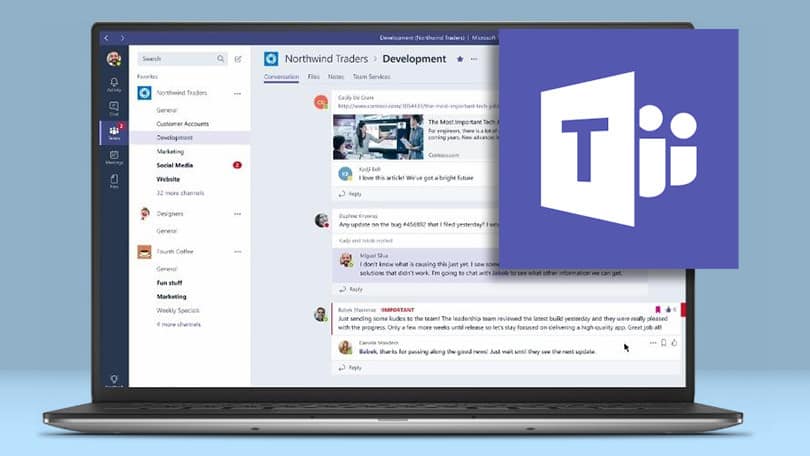
That's all well and good, but you should think twice before enabling Microsoft Teams for your whole organization at once.
What are the benefits of doing a proof of concept of Microsoft Teams?
Because of Microsoft Teams' flexibility, the solution is Microsoft Teams' adaptability. Before attempting to integrate Microsoft Teams into your organization's more comprehensive business processes, run a proof of concept to investigate those possibilities.
We've seen this notion put to good use in a proof-of-concept test using their Enterprise Agreements (EA) in a big corporation. This made it possible to test with significant users throughout the organization rather than just in a single department. It also gives the executive team a better understanding of its efficacy before it is widely implemented.
When you have tremendous power, you also have immense responsibility.
Microsoft Teams is built for fast and long-term collaboration, giving your users the freedom to form Teams, invite others, and add channels, applications, and data sources as needed. As a result of its simplicity, IT teams must walk a thin line between entirely using the platform's features while also maintaining enough governance and controls.
IT teams should consider the following issues:
- Is it okay for anybody to start a group, or does it need to be regulated?
- What safeguards will we put in place to prevent information from being duplicated?
- Will Microsoft Teams have a naming standard, and if so, how will it be enforced?
- How can we ensure that Microsoft Teams complies with IT regulatory requirements?
- Do I have all the necessary Microsoft subscriptions?
- How can I find information in Teams as an administrator if required?
- Are we going to enable the automated creation of new groups?
- Do you plan on enabling guest access, and how will you handle guest accounts in terms of access, security, and account lifecycle management?
Let's Be Honest: Data Sovereignty is nowhere!
For each Team in Teams, a group has been established, which includes a SharePoint Team Site and group email and Office 365 Planner and OneNote apps. However, although the files you submit to a Team will be stored in Microsoft's Australian data centre, Team chats and channel discussions were kept on servers in the United States until mid-2018.
Now, your organization can home data in Australia, which helps to support the data residency need.
Product Use case and training
To reach a particular individual (or group of people) on any device, Microsoft Teams uses a simple interface that anybody can use. When it comes to Teams work, the emphasis has changed from interacting with people to working in groups that are conscious of their environment.
For novice users who want to make a phone call, this change in emphasis may be confusing. Poor user acceptance rates may negate the whole purpose of collaborative software when there is no training & adoption strategy in place.
TOS is here to help you!
Because Office 365 is constantly evolving, it's hard to know. Even your company is getting the most out of its Office 365 subscription. In particular, Microsoft Teams' extension features allos developer platform to create bespoke integrations into your current business processes. It also assist you in developing new ones. There are almost no restrictions on what you may do.
With our customized Transition to Teams Plan from TOS, we can help you get the most out of Teams and Office 365 as a whole.
In a recent project, we looked into one of our customer's business processes. As a Microsoft Solutions Expert, we discovered a wealth of advantages to utilizing Teams. There are several ways to keep third parties honest. They can't proceed on a project due to the weather when they claim. This includes utilizing PowerApps to enter data from field workers into SharePoint and using rain gauges and sensors.
Microsoft Teams and 3rd-party connectors help this client make sure information is gathered and shared with the appropriate people at the right time.
Schedule a call with our expert now and get access to all the services for Microsoft Teams and beyond