Understanding your userbase for remote workplace and security
To understand your userbase to implement effective security measures for remote work, you can follow these steps:- Identify all users who will be working remotely.
- Determine the types of devices they will be using.
- Understand the user's level of access to different systems and data and assign permissions accordingly.
- Establish policies and guidelines for secure remote work.
- Train users on these policies and guidelines and provide necessary resources and support.
- Monitor user activity to ensure compliance with security policies and identify potential security risks.
Optimising endpoint security and management
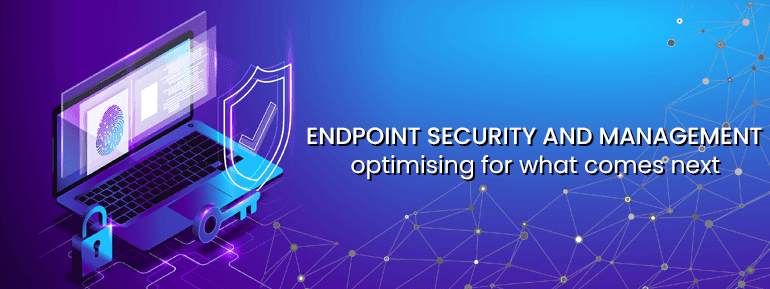
There are several steps you can take to optimise endpoint security and management:- Use endpoint security solution: This approach helps protect your devices from malware and other cyber threats. It can also alert you to suspicious activity and help you respond to attacks. TOS provides an excellent Microsoft solution that eases endpoint security and management.
- Keep your operating system and software up to date: Installing updates for your operating system and other software can help fix vulnerabilities that attackers could exploit.
- Use strong, unique passwords: Using strong passwords and different passwords for each account can help prevent unauthorised access to your devices.
- Enable two-factor authentication: This adds an extra layer of security by requiring you to enter a code sent to your phone or email address and your password when logging in.
- Use a firewall: A firewall can help block unauthorised access to your network and devices.
- Familiarise your employees: Make sure your employees understand the importance of cybersecurity and how to identify and avoid phishing attacks and other threats.
- Regularly review and update your security policies: Keep them updated to reflect your organisation's current needs and best practices.
- Monitor your network: Regularly monitoring your network can help you identify and respond to potential security threats.
Cost saving with zero-touch deployment
Businesses are slowly seeing the benefits of fully automated IT interactions across an entire operating system. Aside from endpoint security and management, zero-touch deployment saves money on costs. Before zero-touch deployment, every company device needed to be activated by IT staff individually. Time spent on this preparation increased in proportion to the specificity of the user's need. Zero-touch deployment makes it possible to instal apps and settings on all corporate devices without touching them. This is very helpful as more and more employees work from home. There are many clear benefits to this: Everyone on your team can get to work without waiting for information technology support.- Cloud-based distribution of software licences and updates simplifies device administration.
- As a result, employees will have more time for strategic projects, and costs will go down.