Micro Summary: A virtual phone number lets businesses take calls on any device, in any location, without fixed lines or on-site hardware. This guide explains how virtual numbers work and why growing teams are adopting them fast. It also covers real costs, and how to choose a provider that delivers commercial return.
Key Insights
Review these takeaways before reading the complete analysis below.
- A virtual phone number separates business identity from any single device, office, or city.
- Remote and hybrid teams answer calls consistently, protecting revenue that would otherwise go missing.
- Local and national market presence is achievable without leasing a single square metre of office space.
- Cloud platform integration turns calling into billable, trackable, revenue-relevant business activity.
- Number porting protects existing marketing spend by keeping every published contact number intact.
- Running costs typically undercut legacy PBX hardware by a wide, measurable margin.
- The right provider treats the number as a growth tool, not just a utility line.
A phone number should generate revenue, not just carry calls. That is the commercial case for going virtual.
What Is a Virtual Phone Number?
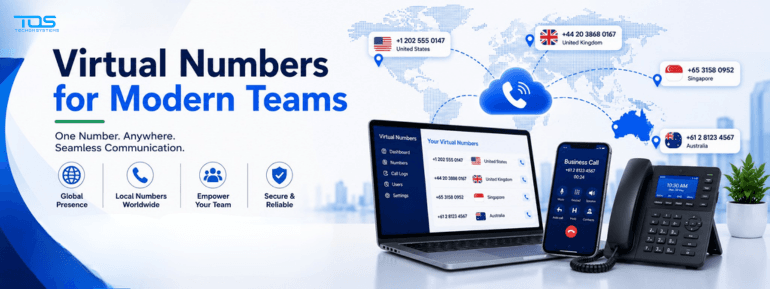
A virtual phone number is a business number that is not tied to a single physical line or handset. Calls route over the internet to whichever device your team is using, wherever they are.
It can carry a local, national, or toll-free prefix, regardless of where staff actually sit. That flexibility turns a phone number into a genuine commercial asset, not just a utility connection.
For sales-driven businesses, that distinction matters commercially. Every missed call on a fixed line is a lead that competitors are happy to pick up instead.
|
Did You Know? A virtual number can ring a laptop, a mobile app, and a desk phone at the same time, so no genuine enquiry gets missed because someone stepped away from their desk. |
How a Virtual Phone Number Works
Calls arrive over a VoIP connection rather than copper wiring. The number itself lives in the cloud, with call routing rules deciding exactly where each call lands.
The Basic Call Path
- A customer dials your published business number, from anywhere in the country.
- The call reaches your provider's cloud platform, not a physical exchange.
- Routing rules send it to a device, an auto attendant, or a live queue.
- The call connects on a laptop, mobile app, or desk handset, wherever staff are working.
A single voice call needs only around 100 to 130 Kbps of bandwidth. Most business internet connections handle it comfortably, even during busy sales hours.
Because routing sits in software, changes take minutes, not a technician callout. That agility has real commercial value during product launches or seasonal spikes.
Why Businesses Are Moving Away From Fixed Lines
Ageing PBX hardware fails without warning, and every incoming call goes silent when it does. That silence has a direct, calculable cost in lost enquiries and frustrated customers.
Maintaining that hardware alongside a Microsoft 365 subscription also means paying for two overlapping systems at once. Most finance teams only spot that overlap once someone audits the numbers properly.
|
Factor |
Fixed-Line PBX |
Virtual Phone Number |
|
Hardware dependency |
On-site PBX box and wiring |
None, fully cloud-hosted routing |
|
Typical monthly cost |
$40 to $80 per line |
$20 to $35 per user |
|
Remote access |
Limited to the physical office |
Any device, any location, instantly |
|
Failure impact |
Full outage until a technician arrives |
Traffic redistributes automatically |
|
Scaling new staff |
New line install, days of lead time |
New licence, active within minutes |
Replacement parts for older PBX hardware also become harder to source every year. Providers eventually stop supporting the model, leaving the business exposed the day it finally fails.
|
Business Insight The dual-system expense of running legacy PBX hardware next to Microsoft 365 licensing is one of the most overlooked line items in an IT budget review. |
Key Benefits for Growing Teams
- Staff answer business calls from a laptop, mobile app, or desk phone interchangeably, without retraining.
- New starters get a working number in minutes, not weeks of provisioning delays.
- Call analytics show volume, missed calls, and response times on one live dashboard.
- Scaling up or down only changes licence counts, never hardware orders or lead times.
- Marketing spend on a published number stays protected, since the number itself never has to change.
These benefits compound quickly as headcount grows. A team of five feels the convenience. A team of fifty feels the cost and reliability difference on every invoice.
Seasonal businesses benefit further, adding temporary licences during peak periods and releasing them again once demand settles. No physical infrastructure is ever touched.
|
Executive Tip Track missed-call volume for one month before and after switching. The commercial case usually makes itself once that number is visible. |
Virtual Numbers and Remote or Hybrid Teams
Distributed sales and support teams need their number tied to whatever device they carry. It should never depend on a desk they rarely sit at. A virtual number keeps that connection intact everywhere.
Customers dial one consistent number and reach the right person, regardless of city or time zone. The business identity stays constant even as the underlying team moves, travels, or works from home.
That consistency directly supports customer retention. Buyers trust businesses that answer promptly far more than ones that route them to voicemail.
Local Presence Without Local Offices
Expanding into a new region often starts with a local number, long before it justifies leasing a local office. A virtual number gives that market presence immediately, at a fraction of the cost.
Prospective customers trust a local prefix more readily than an interstate or unfamiliar one. That trust translates directly into higher answer rates and stronger conversion on cold outreach.
|
Executive Tip Test demand in a new region with a local virtual number before committing to a lease. It is a low-cost way to validate the market first. |
Integration With Your Business Tools and Unified Communications
Modern virtual number deployments run through a cloud-based business phone system, not a separate box in a server room. Calling, chat, and video sit on one connected platform, accessed through a single app.
That single-platform approach removes the licensing and training cost of running a second, unrelated calling tool. Staff adopt it faster, since nothing about their daily workflow actually changes. It also brings real commercial focus to calling.
It becomes one part of a wider cloud-based business phone system. Chat, meetings, and file collaboration sit alongside it, instead of a disconnected tool staff switch into separately.
Call Routing, IVR, and Professional Call Handling
A virtual number is only as valuable as the routing behind it. Auto attendants, skill-based queues, and voicemail-to-email all shape how professional the business sounds on the very first call.
- Auto attendants direct callers to the right department without a receptionist on payroll.
- Skill-based queues route enquiries to the staff member best placed to convert them.
- Voicemail-to-email ensures missed calls still reach the right inbox, and get followed up.
High-volume contact centres lean on this layer the most heavily. Queue routing and live dashboards directly affect customer wait times, and ultimately, satisfaction scores.
Well-designed routing also protects revenue during peak periods. Calls overflow to backup staff automatically instead of ringing out unanswered.
Common Business Use Cases
Different teams lean on virtual numbers for different reasons, but the underlying commercial need is usually the same. Every business wants to stay reachable without being tied to one fixed location.