In today’s fast-moving digital world, protecting your cloud identity isn’t just important — it’s essential. For businesses across Australia, staying secure starts with a solid Azure Active Directory Security Audit.
Whether you're using Microsoft 365, managing remote teams, or running a hybrid cloud setup, this audit helps access points are properly protected. It checks for weak spots, keeps an eye on Azure audit logs, and helps you stay ahead of any potential threats.
With cybersecurity risks on the rise in Australia, a well-executed Azure tenant security audit gives you peace of mind. It also helps meet compliance standards too. Let’s break down why this audit is so valuable for your organisation and how it strengthens your overall cloud security.
What is an Azure Active Directory Security Audit?
An Azure Active Directory Security Audit is a deep dive into your Azure AD environment to ensure everything is secure, well-configured, and working as it should. Since Azure AD is the backbone of identity and access management in cloud services like Microsoft 365, SharePoint, and Teams, auditing it regularly is essential to avoid security risks. This kind of audit goes beyond a typical IT check — it focuses on user behavior, admin activities, and system configuration to help prevent unauthorized access, data leaks, and compliance issues.
Check this out:- Why Choose TECHOM Systems for Microsoft 365 Security Audit Services?
Why It Matters for Australian Businesses?
Cyberattacks and data breaches are growing fast in Australia, and businesses can’t afford to take chances anymore. That’s why having strong identity and access management isn’t just a good idea — it’s a must. A regular Azure Active Directory Security Audit helps protect your digital environment from both internal and external threats.
In Australia, organisations must follow privacy laws like the Australian Privacy Act and security frameworks such as the Essential Eight. A proper audit helps you stay compliant with these rules while also making sure your users, data, and systems are safe.
If your business relies on Microsoft 365, chances are you're already managing users, roles, and access through Azure AD. That makes regular auditing even more important — to ensure your setup is secure, correctly configured, and keeping unwanted access out.
Stay ahead of threats with a professional Azure Active Directory Security Audit.
Contact TECHOM Systems and book a free consultation today to safeguard your organization.
Key Components of an Effective Azure AD Security Audit
To conduct a thorough Azure Active Directory Security Audit, you need to cover several important elements to ensure your environment is as secure as possible. Here's what a complete audit should include:
- Identity and Access ReviewsIt's crucial to review the access levels of all users in your system. Make sure each user has the appropriate permissions for their role. Also, regularly remove inactive, guest, or over-permissioned accounts to minimize security risks.
- Review Azure Security Logs and Audit LogsAzure security logs and Azure audit logs give you valuable insights into any suspicious activity. Look for failed login attempts, unusual sign-ins, and irregular admin actions that could indicate a security breach.
- Audit Log Retention and SchemaYou’ll need to understand your Azure audit log retention settings to meet both internal policies and external regulations. Additionally, having a solid understanding of the Azure audit log schema is key for accurately structuring and interpreting the audit data.
- Azure Tenant Security AuditA tenant security audit goes beyond checking individual users or applications. It takes a broader view of your entire cloud identity environment, helping you identify misconfigurations and security holes before they become bigger problems.
By covering these essential components, you can make sure your Azure Active Directory Security Audit provides a clear and comprehensive view of your organisation's security posture.
Check this out:-Secure Your Azure Tenant Security Audit with TECHOM Systems
Key Components of an Effective Azure Active Directory Security Audit
| Key Component |
Description |
| Identity and Access Reviews |
Review user access levels, remove inactive, guest, or over-permissioned accounts to ensure only the right users have access. |
| Review Azure Security Logs and Audit Logs |
Examine Azure security logs and Azure audit logs for suspicious sign-ins, failed login attempts, and unusual admin activities. |
| Audit Log Retention and Schema |
Understand Azure audit log retention settings to meet regulatory requirements and ensure accurate interpretation using the Azure audit log schema. |
| Azure Tenant Security Audit |
Assess the entire cloud identity environment (not just users or apps) to catch misconfigurations and potential security gaps. |
This table clearly highlights the key points of an Azure Active Directory Security Audit, making it easy to understand and reference.
Azure Security Audit Checklist (Australia Edition)
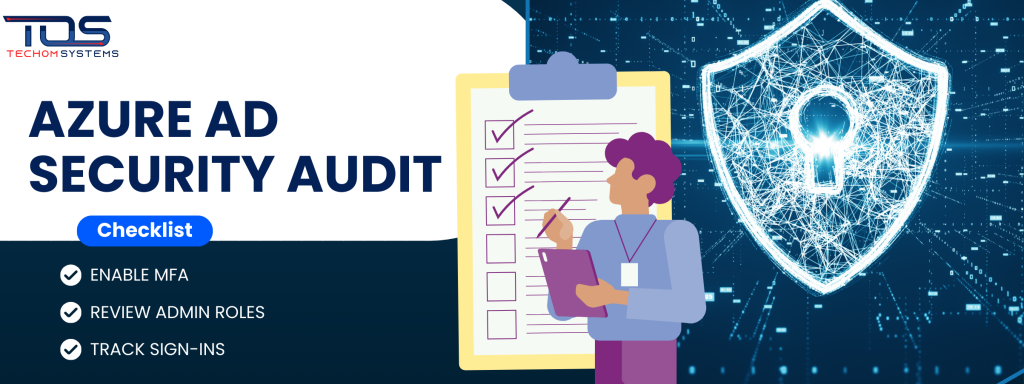
Here’s a simplified Azure security audit checklist tailored specifically for Australian businesses:
- Enable Multi-Factor Authentication (MFA)Ensure that MFA is enabled for all users to add an extra layer of security to their accounts.
- Review Admin Roles and Remove Unnecessary PrivilegesRegularly review the admin roles within your organisation and remove any unnecessary privileges to reduce security risks.
- Track User Sign-Ins and Risky Login BehavioursMonitor Azure audit logs for unusual or risky sign-in attempts, such as logins from untrusted locations or devices.
- Monitor and Archive Azure Audit Logs RegularlyKeep a regular check on your Azure audit logs and archive them to meet compliance needs and have access to historical data.
- Set Up Conditional Access PoliciesImplement conditional access policies to ensure that only authorised users and devices can access sensitive data.
- Conduct Regular Network Security Audit Checklist ReviewsRegularly review your network security to identify potential vulnerabilities and strengthen defences.
- Engage with Professional IT Audit Consulting ServicesIf needed, work with professional IT audit consulting services to ensure that your Azure Active Directory Security Audit is thorough and up-to-date.
Following this checklist helps maintain a secure and compliant cloud environment, ensuring your organisation meets Australian privacy and security regulations.
Check this out:- IT Audit Consulting Services
Mistakes to Avoid During Azure Active Directory Security Audits
When conducting an Azure Active Directory Security Audit, it’s easy to make mistakes that can compromise your security efforts. Here are some common mistakes to avoid:
- Ignoring Guest Accounts and Dormant Users: Failing to review and remove guest accounts and dormant users can create unnecessary vulnerabilities. These accounts often have outdated permissions which could be exploited if not properly managed.
- Skipping Periodic Reviews of Azure Security: LogsAzure security logs should be reviewed regularly. Skipping this step means missing out on identifying suspicious activities or changes within your environment, leaving you exposed to potential threats.
- Not Setting Proper Audit Log Retention Policies: Ensure that your Azure audit log retention policies are correctly configured. Without proper retention settings, you risk losing valuable data that could help in investigations or compliance audits.
- Relying Only on In-House Staff — Missing the Benefits of IT Audit Consulting Services: While in-house teams are essential, they may lack the specialized expertise needed for a thorough Azure Active Directory Security Audit. Engaging IT audit consulting services can provide you with an expert perspective and ensure all aspects of your audit are covered.
By avoiding these mistakes, you can ensure your audit is more accurate, effective, and ultimately improves your organisation's security posture.
How to Get Started with Azure AD Security Audits
Getting started with an Azure Active Directory Security Audit can be straightforward, but it requires a structured approach. You have two main options: perform the audit in-house with your IT team or partner with experts like TECHOM Systems.
At TECHOM Systems, we specialise in providing professional IT audit consulting services in Australia. We can help your business audit, monitor, and improve your Azure AD environment. We offer real-time visibility and ensuring compliance with Australian regulations.
Whether you're a small business or a larger enterprise using Microsoft 365, regular Azure AD audits are essential to maintaining a secure cloud environment and reducing risks.
Why Choose TECHOM Systems for Azure active directory security audit?
When it comes to Azure Active Directory Security Audits, choosing the right partner is essential. Here is why TECHOM Systems is the perfect fit for your business:
- Expertise in Azure AD Security Audits: At TECHOM Systems, we specialise in Azure Active Directory Security Audits, providing tailored solutions that meet the unique needs of your organisation. With our deep understanding of Azure environments, we help identify vulnerabilities, optimise security configurations, and ensure compliance with Australian regulations.
- Professional IT Audit Consulting Services: Our expert auditors offers comprehensive IT audit consulting services ensures that no aspect of your Azure environment is overlooked. Whether it is reviewing Azure security logs, setting up audit log retention or conducting broader Azure tenant security audits, we have got you covered.
- Real-Time Monitoring and Compliance Assurance: We don’t just conduct audits — we provide ongoing monitoring to give you real-time insights into the security of your Azure AD environment. We also ensure that your business remains compliant with Australian privacy and data protection laws.
- Tailored Solutions for Businesses of All Sizes: Whether you're a small business or a large enterprise using Microsoft 365, we offer scalable audit services designed to suit your business needs, providing a level of security that grows with you.
By partnering with TECHOM Systems, you gain access to a trusted partner who can guide you through every step of your Azure AD security audit. It ensures that your cloud environment stays secure, compliant, and fully optimised.
Common Questions Answered
1. How Do I Audit Microsoft Active Directory?
To audit Microsoft Active Directory, follow these steps:
- Enable auditing: Go to your Active Directory settings and enable auditing to track changes like login attempts, account creations, and password resets.
- Review Event Logs: Check the Event Viewer for logs that track changes and activity in your AD environment.
- Use tools: You can also use tools like Microsoft Advanced Threat Analytics (ATA) or PowerShell commands to generate reports on user activities.
2. How Do I Check Audit Logs in Azure AD?
To check audit logs in Azure AD:
- Sign in to Azure Portal: Use your admin account to log in.
- Navigate to Azure Active Directory: Go to the "Security" section.
- Select Audit Logs: Here you’ll find logs of activities like sign-ins, changes to user roles, and more.
- Filter and Review: You can filter logs based on activities, users, or date ranges to find what you need.
3. How Secure is Azure Active Directory?
Azure Active Directory (Azure AD) is highly secure. It offers several layers of security features, including:
- Multi-Factor Authentication (MFA): Adds an extra layer of protection.
- Conditional Access: Ensures only trusted users and devices access your system.
- Encryption: Uses encryption to protect data in transit and at rest.
- Identity Protection: Uses machine learning to detect risky logins and take automatic action.
4. What is the Audit Policy in Active Directory?
The Audit Policy in Active Directory refers to the settings that define what activities and events you want to track in your AD environment. These policies are configured to audit logins, group memberships and changes to directory objects. It helps ensure any important changes or security breaches are logged for future investigation.
5. Why Choose TECHOM Systems for Your Azure AD Security Audit?
TECHOM Systems is your trusted partner for all your Azure Active Directory Security Audit needs. Our expert team provides tailored IT audit consulting services. It makes sure that your Azure AD environment is secure, compliant, and optimised for your business. Whether you are small or large, we offer solutions that scale to meet your needs.
Conclusion: Future Proof Your Cloud Security with AI-Ready Audits
Cyber threats are evolving — and so should your approach to cloud identity and access management. An Azure Active Directory Security Audit isn’t just a checkbox; it’s a critical step toward ensuring your business remains secure.
At TECHOM Systems, we do not just audit — we empower. Our AI-ready audit processes combine human expertise with intelligent tools to deliver faster insights. It also helps in proactive threat detection and compliance that scales with your business. Whether you are managing Microsoft 365, Azure tenants, or a hybrid cloud setup, we are here to help you. Our tailored audit services help you stay ahead of risks — and complement broader initiatives like your Network Security Audit Checklist.
You May Like:- Network Security Audit Checklist for Aussie Businesses
Ready to Secure Your Azure AD with AI-Powered Precision?
Let’s start with a quick consultation — no strings attached.
Contact TECHOM Systems today to schedule your AI-driven
Azure AD Security Audit and take the next step in future-proofing your business.